The Steam Deck OLED already has better battery life, a lighter design, and an improved display compared with the original LCD model. But the right accessories can make a bigger difference once you start using it for long gaming sessions.
A good grip can reduce hand fatigue. A properly rated power bank can keep the Deck running while you play. A screen protector can protect the OLED display from scratches, while a compact charger and cable make travel easier.
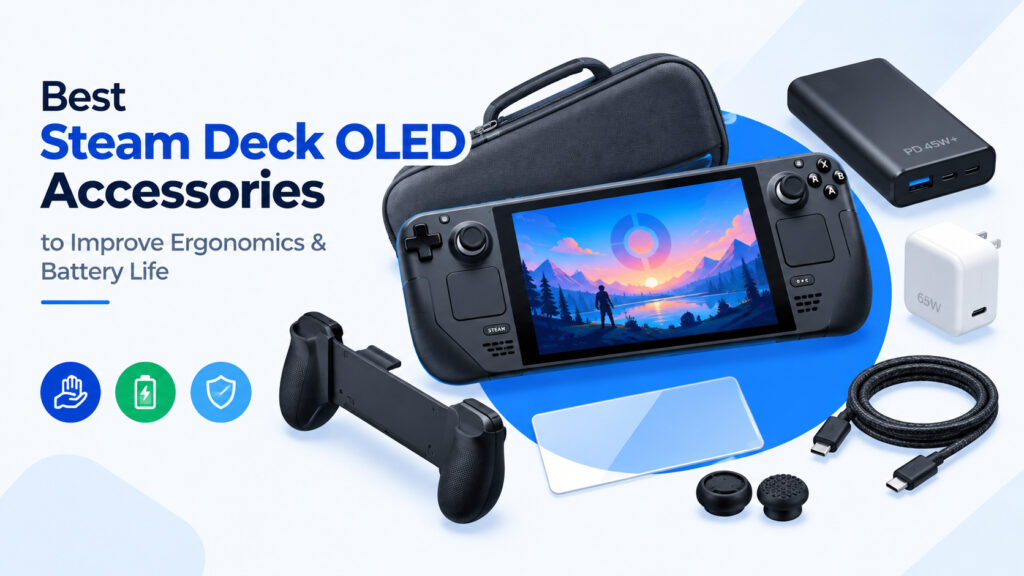
This guide focuses on the best Steam Deck OLED accessories in 2026 for two practical upgrades: better ergonomics and longer battery life.
If you are new to Valve’s handheld, start with our guide to What Is the Steam Deck and Why Everyone’s Talking About It before choosing accessories.
What to Look for in Steam Deck OLED Accessories
Not every Steam Deck accessory is worth buying.
The OLED model has a 50Wh battery and supports 45W USB-C Power Delivery charging. Valve rates the OLED model for approximately 3 to 12 hours of gameplay depending on the game and settings.
That means the most useful accessories are those that address an actual limitation:
- Better grip and hand comfort
- More battery capacity
- Reliable USB-C Power Delivery
- Protection for the OLED display
- Easier travel and storage
- Better charging flexibility
You also do not need to buy everything on this list. Start with the accessory that solves your biggest problem.
1. Ergonomic Grip or Protective Case
The Steam Deck is comfortable for a handheld PC, but it is still a relatively large device. Long sessions can eventually put pressure on your fingers, palms, and wrists.
An ergonomic grip or protective case with shaped handles can make the Deck easier to hold.
One example is the JSAUX silicone grip, which is designed specifically for the Steam Deck LCD and OLED. It uses a textured surface and adds grip without covering the cooling vents.
Best for: Long gaming sessions and players who find the Deck slippery or tiring to hold.
Shop Steam Deck OLED ergonomic grips on Amazon
What to check before buying
Look for:
- Steam Deck OLED compatibility
- Raised or shaped grips
- Non-slip material
- Access to rear buttons
- Unblocked cooling vents
- Compatibility with your existing dock and carrying case
Avoid extremely bulky cases if you regularly carry the Deck in a small travel bag.
2. Steam Deck Battery Bank With Power Delivery
A USB-C power bank is one of the most useful Steam Deck OLED accessories for travel.
But capacity alone is not enough.
For the Steam Deck, pay attention to USB-C Power Delivery output. Valve’s OLED model uses a 45W USB-C PD power supply, so a power bank with sufficient USB-C PD output is much more useful for gaming while charging.
This is especially important if you want the battery bank to keep up with the Deck while playing demanding games.
Recommended specifications
For a Steam Deck battery bank, look for:
- USB-C Power Delivery
- At least 45W USB-C output
- 20,000mAh or greater capacity
- A USB-C port capable of the advertised output
- Reliable battery protection
- A USB-C cable rated for the required power
The Anker 737 Power Bank is one example of a high-output option, with 24,000mAh capacity and up to 140W output. That is considerably more power than the Steam Deck requires, leaving plenty of headroom for other USB-C devices.
Best for: Flights, road trips, commuting, camping, and extended gaming away from an outlet.
Shop Steam Deck USB-C PD power banks on Amazon
Do not buy based only on mAh
A cheap 20,000mAh power bank is not automatically a good Steam Deck power bank.
Check the output specification first.
A bank might advertise a large capacity but provide only 18W or 20W through USB-C. That can be much less useful when the Deck is actively running a demanding game.
For the best results, look for a model that clearly states its USB-C PD output.
3. Steam Deck OLED Anti-Glare Screen Protector
The OLED display is one of the best parts of the Steam Deck OLED, so protecting it makes sense.
The important thing is choosing the right type of protector.
If you regularly play near windows, outdoors, or under bright lights, an anti-glare screen protector can reduce distracting reflections.
This is particularly relevant if you have the glossy 512GB OLED model. The 1TB OLED model already includes premium anti-glare etched glass from Valve, so adding another matte layer is more of a personal preference than a necessity.
JSAUX currently offers screen protectors for Steam Deck LCD and OLED, including an anti-glare model.
Best for: Players who game in bright rooms or want additional display protection.
Shop Steam Deck OLED anti-glare screen protectors on Amazon
Glossy vs anti-glare
An anti-glare protector can make reflections less distracting, but matte surfaces can slightly change how sharp the display looks.
Choose glossy tempered glass if maximum clarity is your priority.
Choose anti-glare if reflections bother you more.
4. High-Wattage USB-C Charger
The Steam Deck OLED comes with a 45W power supply, so you do not necessarily need another charger.
A second charger becomes useful if you keep the original charger at your desk and want another one for travel.
A compact GaN charger with USB-C PD can also charge your other devices, reducing the number of adapters in your bag.
For example, a 65W USB-C charger gives you additional headroom for phones, tablets, laptops, and the Steam Deck. Some 65W chargers explicitly list Steam Deck compatibility.
Best for: Travel and anyone who wants one charger for multiple devices.
Shop 45W+ USB-C PD chargers for Steam Deck on Amazon
5. Long USB-C Cable
The charger can be perfectly capable and still be annoying if the cable is too short.
A longer USB-C cable is useful when the nearest wall outlet is behind a sofa, beside a bed, or under a desk.
Look for a USB-C cable that supports the charging power you intend to use. Do not assume every USB-C cable supports the same power or data speeds.
Best for: Bedside gaming, travel, and charging while using the Deck.
Shop long USB-C PD cables on Amazon
6. Compact Carrying Case
The Steam Deck OLED includes a carrying case, so this is not an essential upgrade.
It becomes useful if you want more space for accessories.
A larger travel case can hold:
- Steam Deck
- Charger
- USB-C cable
- Power bank
- Earbuds
- microSD cards
- Small USB accessories
JSAUX, for example, currently sells several Steam Deck OLED-compatible carrying cases and travel accessories.
Best for: Frequent travelers and anyone carrying a power bank and accessories with the Deck.
Shop Steam Deck OLED carrying cases on Amazon
7. Thumbstick Grip Caps
Thumbstick caps are a small upgrade, but they can improve control and comfort.
They are especially useful if you find the original sticks too slippery or want a slightly different texture.
Avoid excessively tall caps if you do not like changing the original feel of the controls.
Best for: Players who want a low-cost comfort upgrade.
Shop Steam Deck OLED thumb grips on Amazon
8. USB-C Hub or Dock
A dock is not directly related to battery life, but it becomes useful if you use your Steam Deck as a desktop PC.
The Deck supports DisplayPort over USB-C and USB 3 connectivity, making a USB-C dock or hub useful for connecting an external display, keyboard, mouse, Ethernet, storage, and other peripherals.
For a basic setup, look for:
- USB-C PD input
- HDMI or DisplayPort
- At least two USB ports
- Gigabit Ethernet if needed
- Compatibility with Steam Deck OLED
If you are building a desktop setup, see our guide on How to Use Your Steam Deck as a Full Desktop Replacement.
Best for: Desktop use, external displays, and connecting multiple accessories.
Shop Steam Deck USB-C docks and hubs on Amazon
9. Portable Stand
A small stand is useful when you want to play with a controller, connect an external keyboard, or simply take the weight of the Deck out of your hands.
It is also useful when charging from a power bank.
A folding stand takes up very little space, so this is one of the easier accessories to add to a travel setup.
Best for: Desk gaming, controller use, and charging.
Shop portable Steam Deck stands on Amazon
Which Steam Deck OLED Accessories Are Actually Worth Buying?
You do not need a $200 accessory bundle to improve the Steam Deck.
For most owners, the practical order looks something like this:
If your hands get tired
Start with an ergonomic grip or case.
If your battery runs out while traveling
Buy a USB-C PD power bank capable of at least 45W output.
If reflections bother you
Consider an anti-glare screen protector.
If you travel frequently
Add a larger carrying case and compact USB-C charger.
If you use the Deck as a PC
A good USB-C dock or hub is more useful than most cosmetic accessories.
Best Steam Deck OLED Accessory Setup for Travel
A simple travel kit could be:
- Steam Deck OLED
- Ergonomic grip or protective case
- 20,000mAh+ USB-C PD power bank
- 65W GaN charger
- Long USB-C PD cable
- Anti-glare screen protector if needed
- Compact carrying case
The power bank is the most important addition if battery life is your main concern.
Valve already improved the OLED’s battery capacity from the LCD model’s 40Wh battery to 50Wh and estimates up to 12 hours of gameplay depending on the workload. Accessories should complement that efficiency rather than simply adding bulk.
Accessories Cannot Replace Battery Optimization
A large power bank is useful, but it is not the only way to improve battery life.
Before spending money on additional battery capacity, adjust the Deck’s power settings.
Lowering brightness, limiting frame rate, reducing unnecessary performance overhead, and using suitable per-game settings can reduce power consumption.
For a detailed walkthrough, see How to Fix Steam Deck Battery Drain: 2026 Optimization Guide.
You can also learn more about SteamOS and its performance features in SteamOS Explained: A Complete Guide to Gaming, Desktop Use, and Apps on Steam Deck.
Final Buying Advice
The best Steam Deck OLED accessories are not necessarily the most expensive ones.
For ergonomics, prioritize a comfortable grip that does not interfere with cooling, buttons, docks, or your carrying case.
For battery life, prioritize USB-C Power Delivery output over a large mAh number. A power bank that can deliver enough power while the Deck is running is much more useful than one with a large capacity but weak USB-C output.
For the display, choose between glossy and anti-glare protection based on where you normally play.
And before buying a dock, case, or screen protector, double-check that it specifically supports the Steam Deck OLED.
The right combination can make the Steam Deck easier to hold, easier to travel with, and much less dependent on a wall outlet without turning the device into a pile of unnecessary accessories.
Affiliate Disclosure: This post contains affiliate links. As an Amazon Associate, I earn from qualifying purchases.
