The official Steam Deck Dock is useful, but you do not need to spend $80 or more to connect your Steam Deck to a monitor, TV, keyboard, mouse, Ethernet, and other accessories.
Several third-party docks cost less than $40 and provide the ports most Steam Deck owners actually need. The main question is whether a cheap dock can deliver a reliable desktop setup, including 4K output at 60Hz.
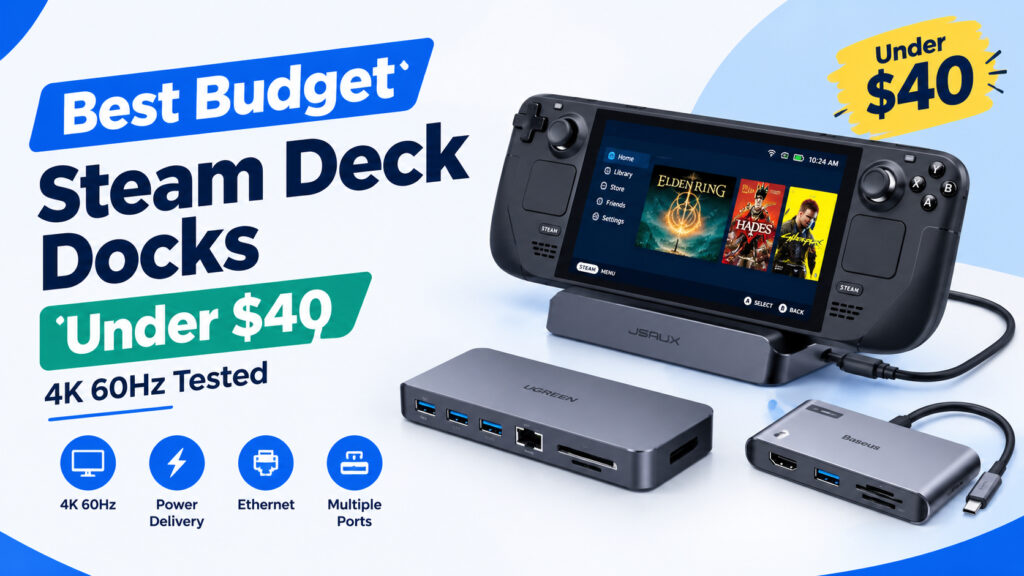
For this guide, we are comparing three popular budget options: the JSAUX 6-in-1 Steam Docking Station, UGREEN 9-in-1 Steam Deck Dock, and Baseus 6-in-1 USB-C Hub.
Best Budget Steam Deck Docks Under $40
| Dock | Best for | Display | Key ports | Typical price |
|---|---|---|---|---|
| JSAUX 6-in-1 Steam Docking Station | Best overall | Up to 4K 60Hz | HDMI, USB-A, USB-C, Ethernet, SD/microSD | Under $40 |
| UGREEN 9-in-1 Steam Deck Dock | Best for ports | Up to 4K 60Hz | HDMI, USB-A, USB-C, Ethernet, SD/microSD and more | Under $40 |
| Baseus 6-in-1 USB-C Hub | Best value/travel | Up to 4K 60Hz | HDMI, USB-A, USB-C, SD/microSD | Under $40 |
Prices vary by seller, discounts, and configuration. Check the current Amazon listing before buying.
Quick recommendations
Best overall: JSAUX 6-in-1 Steam Docking Station
A practical choice if you want a dedicated Steam Deck dock with the essential ports without spending heavily.
Best for ports: UGREEN 9-in-1 Steam Deck Dock
Better suited to a desk setup where you regularly connect several peripherals.
Best for travel: Baseus 6-in-1 USB-C Hub
A compact option if portability matters more than having a full-size docking station.
1. JSAUX 6-in-1 Steam Docking Station
Best for: Most Steam Deck owners
JSAUX has become one of the more recognizable third-party accessory brands for Steam Deck users. Its 6-in-1 dock focuses on the connections most people expect from a docking station without taking up too much desk space.
The important feature for a desktop setup is HDMI output supporting up to 4K at 60Hz when the connected display, cable, and Steam Deck configuration support it.
You also get USB ports for peripherals, Gigabit Ethernet for wired networking, and card-reader connectivity on compatible versions.
Why consider it:
- 4K 60Hz HDMI output
- Gigabit Ethernet
- USB ports for keyboard, mouse, storage, and controllers
- SD and microSD support
- Compact dedicated dock design
- Usually considerably cheaper than the official Valve Dock
Best For: Desktop Steam Deck setups
If you normally leave your Steam Deck connected to a monitor or TV, the JSAUX dock provides a straightforward way to turn the handheld into a small desktop computer.
Check the JSAUX 6-in-1 Steam Dock on Amazon
2. UGREEN 9-in-1 Steam Deck Dock
Best for: Users who need more connectivity
The UGREEN 9-in-1 Steam Deck Dock is aimed at users who want more ports from a single connection.
That makes it particularly interesting if your Steam Deck setup includes external storage, Ethernet, multiple USB accessories, memory cards, and a display.
Like any USB-C dock, advertised display specifications should not be considered independently from the rest of your setup. Your HDMI cable and monitor or TV also need to support the desired resolution and refresh rate.
Why consider it:
- Up to 4K 60Hz display output
- More connectivity than a basic USB-C hub
- Ethernet for wired networking
- Multiple USB ports
- SD and microSD card support
- Useful for a permanent desk setup
Best For: Users who want more ports
If you regularly connect several accessories to your Steam Deck, the additional connectivity can be more useful than saving a few dollars with a smaller hub.
Check the UGREEN 9-in-1 Steam Deck Dock on Amazon
3. Baseus 6-in-1 USB-C Hub
Best for: Travel and simple setups
Baseus takes a slightly different approach. Instead of buying a large desktop docking station, a compact USB-C hub can provide many of the same basic connections.
The 6-in-1 design is useful for Steam Deck owners who want HDMI, USB, and memory-card connectivity without carrying a larger dock.
It is especially useful in a travel bag because a small USB-C hub can also be used with laptops, tablets, and other USB-C devices.
Why consider it:
- Compact design
- HDMI display output
- USB connectivity
- SD and microSD card support
- Easy to carry
- Useful beyond Steam Deck
Best For: Travel
Choose a compact hub if you frequently move between a desk, hotel room, office, or another display.
Check the Baseus 6-in-1 USB-C Hub on Amazon
JSAUX vs UGREEN Steam Deck Dock
The JSAUX vs UGREEN Steam Deck dock comparison largely comes down to how many connections you need.
JSAUX makes sense for a straightforward Steam Deck desk setup where HDMI, Ethernet, USB peripherals, and card readers cover your requirements.
UGREEN is more interesting when you need additional connectivity and expect the dock to remain connected to several devices.
| Feature | JSAUX 6-in-1 | UGREEN 9-in-1 |
|---|---|---|
| 4K 60Hz | Yes, with compatible setup | Yes, with compatible setup |
| Ethernet | Yes | Yes |
| USB peripherals | Yes | Yes |
| SD/microSD | Yes | Yes |
| Number of connections | 6-in-1 | 9-in-1 |
| Best use | Everyday desktop | More demanding desk setup |
Neither dock automatically guarantees 4K 60Hz in every configuration. The Steam Deck, dock, HDMI cable, monitor or TV, and display settings all have to support the desired output.
Can a Cheap Steam Deck Dock Really Do 4K 60Hz?
Yes, a budget dock can advertise and support 4K 60Hz output, but there are several things to check before assuming your setup will run at 4K 60Hz.
First, check the dock’s HDMI specification. Then check your monitor or TV. Finally, make sure the HDMI cable can handle the required bandwidth.
The Steam Deck itself also needs to be configured correctly.
For gaming, however, 4K 60Hz is a different question from simply outputting a desktop at 4K 60Hz. Many Steam Deck games will perform better at 1080p or 1440p than native 4K because the handheld’s hardware is designed around a much smaller internal display.
A dock’s 4K 60Hz capability is therefore particularly useful for desktop work, media playback, menus, and games that can comfortably run at higher resolutions.
What to Look for in a Budget Steam Deck Dock
1. 4K 60Hz HDMI
If you plan to connect the Steam Deck to a 4K TV or monitor, look for a dock that explicitly supports 4K at 60Hz.
Do not confuse 4K 30Hz with 4K 60Hz. The latter provides a noticeably smoother desktop experience.
2. USB-C Power Delivery
A good dock should support USB-C Power Delivery so that your Steam Deck can charge while connected to the dock.
If you are using the dock for long gaming sessions, adequate power delivery is important.
If battery life is a concern, also see our guide on How to Fix Steam Deck Battery Drain: 2026 Optimization Guide.
3. Ethernet
Wi-Fi works well for many Steam Deck users, but Ethernet is useful for downloads, game streaming, remote play, and other bandwidth-sensitive tasks.
It can also make a difference when using services such as cloud gaming or streaming games from a PC.
For related Steam Deck streaming setups, see How to Stream PC Games to Steam Deck with Moonlight & Sunshine.
4. USB Ports
Think about everything you intend to connect before buying.
A typical desktop setup might include:
- Keyboard
- Mouse
- External SSD
- Controller
- USB microphone
- Webcam
A dock with only two USB ports may become restrictive surprisingly quickly.
5. SD and microSD Card Readers
Steam Deck users often rely on microSD cards for additional game storage.
Having a card reader built into the dock is convenient when transferring files or managing storage from a desktop setup.
Do You Need the Official Valve Dock?
Not necessarily.
The official Valve Dock offers a first-party option and is attractive if you want Valve’s own accessory ecosystem. However, budget docks can provide the fundamental connections required for a monitor, peripherals, Ethernet, and charging at a lower price.
The important thing is to compare the actual specifications rather than choosing based solely on the number of ports or the advertised maximum resolution.
For many buyers, spending less on the dock leaves more money for accessories that directly affect the handheld experience.
If you are building a complete Steam Deck setup, our Steam Deck vs. ROG Ally 2 vs. Nintendo Switch 2 comparison can also help put the hardware in context.
Which Budget Steam Deck Dock Should You Buy?
For a simple desktop setup, the JSAUX 6-in-1 is a practical starting point.
Choose the UGREEN 9-in-1 if you need more connections and expect to keep several accessories plugged in at once.
Choose the Baseus 6-in-1 if portability is important and you want a compact USB-C hub that can also work with other devices.
The biggest mistake is buying based only on the “4K 60Hz” label. Check the complete connection chain, including the dock, cable, display, and power adapter.
For most Steam Deck owners looking to spend less than $40, a good third-party dock can provide the core desktop functionality without requiring an $80-plus accessory.
Frequently Asked Questions
What is the best cheap Steam Deck dock under $40?
The JSAUX 6-in-1 is a strong option for a typical desktop setup, while the UGREEN 9-in-1 is worth considering if you need more ports. The Baseus 6-in-1 is more convenient for portable setups.
Can Steam Deck docks support 4K 60Hz?
Yes. Compatible docks can output up to 4K 60Hz, provided the Steam Deck, dock, HDMI cable, monitor or TV, and settings support the required configuration.
Is UGREEN better than JSAUX for Steam Deck?
They target slightly different setups. JSAUX’s 6-in-1 design is suited to users who need the essential connections, while UGREEN’s 9-in-1 approach is aimed at users who need additional ports.
Do Steam Deck docks charge the Steam Deck?
Compatible docks support USB-C Power Delivery, allowing the Steam Deck to charge while connected. The actual charging performance depends on the dock and power adapter being used.
Is a Steam Deck dock worth buying?
A dock is useful if you regularly connect your Steam Deck to a TV or monitor, use wired Ethernet, or connect several USB accessories. If you primarily use the handheld screen, you may not need one.
Related Steam Deck Guides
- How to Fix Steam Deck Battery Drain: 2026 Optimization Guide
- How to Stream PC Games to Steam Deck with Moonlight & Sunshine
- How to Stream PS5 to Steam Deck: The Easy Remote Play Method
- How to Install and Play Epic Games Store on Your Steam Deck
- How to Play Fortnite on Steam Deck: A Practical Guide
Affiliate Disclosure: This post contains affiliate links. As an Amazon Associate, I earn from qualifying purchases.
