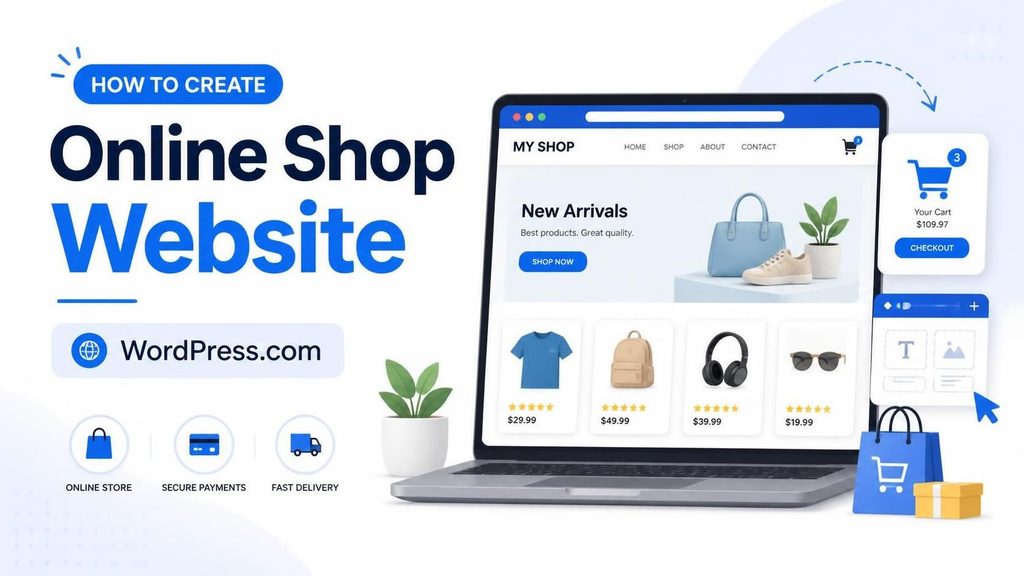
If you want to create an online shop without managing a separate hosting account, server updates, backups, and security tools, WordPress.com is worth considering.
WordPress.com now offers a managed ecommerce setup built around WooCommerce. Instead of putting WordPress on a third-party hosting account and assembling your store yourself, you can start with managed WordPress hosting and WooCommerce in the same package.
That does not mean WordPress.com is the only way to build an online store. Shopify remains a popular hosted ecommerce platform, while self-hosted WordPress with WooCommerce gives you more control over your hosting environment.
The interesting part is that WordPress.com has reduced one of the biggest disadvantages of traditional WordPress ecommerce: the amount of technical maintenance required from the store owner.
This guide explains how to create an online shop with WordPress.com, what you need before launching, and the advantages and disadvantages you should understand before paying for a plan.
What Is WordPress.com Ecommerce?
WordPress.com ecommerce uses WooCommerce to turn a WordPress website into an online store.
WooCommerce handles the core store functionality, including products, shopping carts, checkout, payments, inventory, orders, and shipping. You can also extend the store with additional WooCommerce extensions when you need features such as subscriptions, bookings, memberships, or other specialized functionality.
The main difference is the hosting environment.
With traditional self-hosted WordPress, you normally choose a hosting company, install WordPress, install WooCommerce, configure security, manage backups, update software, and deal with hosting-related problems yourself.
With WordPress.com’s Commerce setup, the hosting is managed for you. WordPress.com provides the hosting environment while WooCommerce provides the ecommerce software.
That combination makes the setup considerably simpler for someone who wants to run a store rather than spend time maintaining a server.
How to Create an Online Shop With WordPress.com
The basic process is straightforward, but there is still some preparation involved.
Your store does not become successful simply because WooCommerce is installed. You still need to decide what you are selling, prepare product information, configure payments, determine shipping rules, handle taxes, and create a trustworthy shopping experience.
Here is the practical process.
1. Choose WordPress.com Commerce
Start by reviewing the current WordPress.com Commerce plan and its included ecommerce features.
WordPress.com changes pricing and billing options over time, so it is better to check the current pricing page instead of relying on an old article that gives a fixed monthly price.
The Commerce plan is designed specifically for running an online store and includes WordPress hosting together with WooCommerce and ecommerce-focused tools.
You can review the current plan here:
The Commerce setup is also available as a 14-day trial. The trial is useful for exploring the store builder and preparing your site, but it should not be confused with a fully live ecommerce store. The trial operates in Coming Soon mode and does not accept real customer payments until you upgrade.
2. Choose a Store Design
Once your WordPress.com site is ready, choose a WooCommerce-compatible theme.
You do not need to build every page from an empty screen. WordPress.com provides commerce-focused themes and ready-made layouts that can help you get the basic structure in place.
At a minimum, your store should have:
- Homepage
- Shop or product archive
- Product pages
- Cart
- Checkout
- About page
- Contact page
- Privacy policy
- Terms and conditions
- Shipping information
- Refund or return policy
Your design should also work properly on phones. A large percentage of ecommerce visitors will browse products from mobile devices, so check your product pages and checkout on a smartphone before launch.
3. Prepare Your Products
This is one part WordPress.com cannot do for you.
Before adding products, prepare your product names, descriptions, prices, images, variations, stock information, shipping details, and other information customers need to make a purchase.
For physical products, think about:
- Product dimensions
- Weight
- Available stock
- Product variations
- Shipping locations
- Delivery times
- Return policy
For digital products, prepare the downloadable files and decide how customers will receive them after payment.
Good product photography also matters. A technically perfect store can still perform poorly if customers cannot understand what they are buying.
4. Configure Payments
Next, configure your payment methods.
The available payment options depend on your location and the payment gateway you choose. WooCommerce supports multiple payment solutions, allowing you to select options appropriate for your customers and country.
Payment processing fees are separate from your WordPress.com plan, so include those costs when calculating your store’s operating expenses.
Do not assume that paying for WordPress.com means payment processing is free.
You should also complete a test purchase before opening the store. Check the complete process from product selection through checkout and order confirmation.
5. Configure Shipping and Taxes
If you sell physical products, configure your shipping zones, shipping methods, and rates.
You also need to determine how taxes should be handled for your business and the locations where you sell.
These settings can become complicated when selling across different regions, so do not simply copy another store’s tax or shipping configuration.
WooCommerce provides settings for products, taxes, shipping, payments, and other store requirements as part of the store setup process.
If you are unsure about tax requirements, consult a qualified tax professional in your jurisdiction.
6. Configure Store Emails and Orders
Your store should send customers useful transactional emails after they place an order.
Check messages such as:
- Order confirmation
- Payment confirmation
- Processing notification
- Shipping notification
- Order completion
- Refund notification
Then review the WooCommerce order management area.
You should be able to quickly understand which orders are new, which have been paid, which require fulfillment, and which have been completed.
7. Optimize Your Product Pages for SEO
Creating an ecommerce website is only the first step. You also need to help search engines understand your products.
Start with the basics.
Use descriptive product titles, write original product descriptions, optimize image filenames and alt text, create useful category pages, and make sure important products can be reached through normal site navigation.
Your URLs should also be simple and understandable.
For example:
example.com/product/wireless-keyboard/
is easier to understand than a URL filled with unnecessary parameters or random numbers.
WooCommerce also works with WordPress SEO plugins, giving store owners additional control over titles, descriptions, structured data, sitemaps, and other SEO settings.
8. Test the Store Before Launching
Do not launch immediately after adding your first few products.
Test the store as if you were a customer.
Check the site on desktop and mobile. Add products to the cart. Change quantities. Try different product variations. Go through checkout. Check confirmation emails. Review the order in the dashboard.
Also test your navigation.
A customer should be able to understand what you sell, find products, see the price, understand shipping and returns, and complete a purchase without having to figure out how your website works.
WordPress.com also provides staging functionality on its Business and Commerce plans, which can be useful when making larger changes to a live store.
Why Use WordPress.com for Ecommerce?
The biggest reason to consider WordPress.com is that you get the flexibility of WordPress and WooCommerce without having to assemble and maintain the entire hosting stack yourself.
That matters more as your store becomes important to your business.
Managed Hosting Is the Biggest Advantage
With self-hosted WordPress, you are responsible for choosing and maintaining hosting.
You may need to think about:
- Server resources
- Backups
- Security
- WordPress updates
- PHP versions
- Performance
- Caching
- Malware
- Database maintenance
WordPress.com takes much of that infrastructure work off your hands.
Its paid plans include security features such as malware protection, a web application firewall, DDoS protection, brute-force protection, and automated WordPress core updates. Real-time backups and one-click restores are available on Business and Commerce plans.
For a store owner, this can be more valuable than saving a few dollars on basic hosting.
You Still Get WooCommerce
Choosing managed WordPress.com does not mean giving up WooCommerce.
WooCommerce remains the ecommerce software powering the store. That gives you access to the broader WooCommerce ecosystem instead of locking your store into a completely separate ecommerce system.
WooCommerce can handle physical products, digital products, services, subscriptions, memberships, and other types of ecommerce through its extensions.
Easier Than Building the Stack Yourself
A self-hosted WooCommerce store can be extremely flexible, but there are many individual decisions involved.
You need hosting.
Then WordPress.
Then WooCommerce.
Then a theme.
Then security.
Then backups.
Then performance optimization.
Then payment gateways.
Then shipping extensions.
Then additional ecommerce extensions.
WordPress.com Commerce brings much of this into one managed environment.
That is the main difference to consider. You are paying for convenience, infrastructure, and management rather than simply paying for WordPress software.
Built-In Ecommerce Extensions
The Commerce plan includes additional ecommerce tools beyond the basic WooCommerce installation.
Depending on the current plan and included extensions, these can cover features such as product add-ons, product bundles, gift cards, inventory management, abandoned cart functionality, and other selling tools.
This makes WordPress.com Commerce particularly interesting for stores that would otherwise need to purchase and maintain several separate extensions.
Always check the current Commerce feature list before buying because included extensions and features can change.
WordPress.com vs Self-Hosted WordPress for Ecommerce
Self-hosted WordPress still makes sense for many businesses.
The advantage is control.
You can choose almost any hosting company, configure the server environment, install plugins, modify files, use custom server settings, and move between hosting providers.
But that control comes with responsibility.
With WordPress.com, much of the infrastructure is managed for you.
| Feature | WordPress.com Commerce | Self-hosted WordPress + WooCommerce |
|---|---|---|
| Hosting | Managed | You choose and manage it |
| WooCommerce | Included with Commerce setup | Install yourself |
| Security | Managed infrastructure | Mostly your responsibility |
| Backups | Managed | Configure your own system |
| Server maintenance | Mostly handled for you | Your responsibility |
| Plugin flexibility | High on paid WordPress.com plans | Very high |
| Server-level control | More limited | More control |
| Ecommerce extensions | Included tools plus WooCommerce ecosystem | Choose and purchase yourself |
| Technical maintenance | Lower | Higher |
| Hosting choice | WordPress.com | Many providers |
WordPress.com currently allows plugin installation on paid plans, including access to a large plugin ecosystem, so the old idea that WordPress.com is simply a restricted version of WordPress is no longer an accurate description of its paid plans.
WordPress.com vs Shopify
Shopify and WordPress.com solve the same basic problem from different directions.
Shopify is built specifically around ecommerce. Its dashboard and workflows are designed for merchants.
WordPress.com combines WordPress publishing with WooCommerce ecommerce.
That distinction matters if content marketing is an important part of your business.
With WordPress.com and WooCommerce, your store and content website live in the same WordPress environment. You can publish articles, landing pages, guides, product comparisons, tutorials, and other content alongside your products.
For businesses that want both an ecommerce store and a serious content-driven website, this can be an important advantage.
On the other hand, Shopify can be attractive when your main requirement is a dedicated ecommerce platform and you do not want to manage WordPress.
There is no universal choice for every business.
The better question is how much control and content flexibility you need versus how much ecommerce-specific simplicity you want.
Advantages of WordPress.com Ecommerce
Here are the main advantages worth considering.
1. Managed hosting
You do not need to find a separate hosting provider or maintain the server yourself.
2. WooCommerce flexibility
You can build a store around WooCommerce instead of being restricted to a proprietary ecommerce system.
3. WordPress content publishing
You can combine products, blog content, landing pages, guides, and other content in the same website.
4. Security and backups
Managed infrastructure reduces the amount of technical maintenance required from the store owner.
5. Plugin ecosystem
Paid WordPress.com plans support plugins, giving you considerably more flexibility than a closed ecommerce platform.
6. Easier scaling
As your store becomes more complicated, you can add WooCommerce extensions and WordPress plugins instead of rebuilding the entire website on another platform.
7. Less technical maintenance
You can spend more time working on products, marketing, customers, and orders instead of dealing with server administration.
Disadvantages of WordPress.com Ecommerce
Managed hosting is convenient, but it is not free.
There are several disadvantages you should understand before choosing it.
1. The Commerce plan costs more than basic WordPress hosting
You are paying for managed infrastructure and ecommerce functionality.
A basic self-hosted WordPress setup can sometimes be cheaper on paper, particularly for a small store with very few requirements.
However, comparing only the hosting bill is not enough. You should also consider the cost of backups, security tools, premium plugins, ecommerce extensions, maintenance, and your own time.
2. You have less server-level control
If you want complete control over your server, operating environment, database, caching stack, or hosting configuration, self-hosted WordPress gives you more freedom.
This is one of the clearest reasons an experienced developer may still prefer independent hosting.
3. Some ecommerce features cost extra
WooCommerce is highly extensible, but advanced functionality often comes through separate extensions.
Subscriptions, bookings, memberships, and similar features can have their own costs.
Do not assume that the Commerce plan includes every WooCommerce extension you may ever need.
4. Payment processing fees still apply
Your hosting plan does not eliminate payment processor fees.
The actual cost depends on the payment provider, country, payment method, and transaction.
5. The trial is not a live store
The 14-day trial is useful for preparing your website and testing the setup, but it runs in Coming Soon mode.
You should not tell customers that your trial store is ready for normal purchases. Real customer payments require upgrading the site.
This distinction is important when planning a launch.
When Does WordPress.com Make Sense for an Online Store?
WordPress.com Commerce can make sense if you want a WordPress website and do not want to manage hosting infrastructure yourself.
It is particularly worth considering if you:
- Are starting your first online store
- Want WordPress for blogging and SEO content
- Prefer managed hosting
- Want WooCommerce flexibility
- Do not want to configure a server
- Want managed security and backups
- Expect to use several ecommerce extensions
- Want to manage content and ecommerce from one WordPress dashboard
A developer who needs complete server control may have different priorities.
Likewise, a business that wants a highly specialized ecommerce workflow may prefer Shopify or a custom ecommerce stack.
The important thing is to compare the complete setup rather than comparing only the monthly hosting price.
How Much Does WordPress.com Ecommerce Cost?
WordPress.com pricing changes depending on the billing period, currency, promotions, and plan options.
For that reason, avoid relying on a fixed price copied from an old article.
Check the current WordPress.com pricing page before making a purchase:
View current WordPress.com pricing
Also calculate the other costs involved in your store.
Your total ecommerce budget may include:
- WordPress.com plan
- Premium WooCommerce extensions
- Payment processing
- Domain renewal
- Shipping
- Product photography
- Email marketing
- Advertising
- Tax or accounting services
- Other third-party services
The hosting plan is only one part of the cost of running an online business.
A Simple WordPress.com Ecommerce Launch Checklist
Before launching, make sure you have completed these tasks:
- Choose your domain
- Select a mobile-friendly WooCommerce theme
- Add your products
- Write original product descriptions
- Upload high-quality product images
- Configure product categories
- Set prices and inventory
- Configure payment methods
- Configure shipping
- Configure taxes
- Create refund and return information
- Add privacy and legal pages
- Configure store emails
- Test checkout
- Test mobile navigation
- Test an order from start to finish
- Check product URLs
- Configure SEO
- Connect analytics and other required tools
- Review the entire site before removing Coming Soon mode
Do not rush the launch just because the technical setup is complete.
A customer-ready store needs accurate product information, clear policies, reliable checkout, and a professional presentation.
Final Thoughts
Creating an online shop with WordPress.com is now a much more practical option than the old image of WordPress.com as a limited blogging platform.
The combination of managed WordPress hosting and WooCommerce gives you a middle ground between a fully managed ecommerce platform and a completely self-managed WordPress installation.
You get WooCommerce’s flexibility while WordPress.com handles much of the hosting, security, maintenance, and infrastructure work.
That does not automatically make WordPress.com the right choice for every store.
Choose self-hosted WordPress if you need maximum server-level control and are comfortable managing the technical side. Consider Shopify if you want a platform designed primarily around ecommerce and prefer its more focused merchant experience.
But if you want WordPress for content, SEO, publishing, and customization while avoiding much of the technical work associated with running WooCommerce yourself, WordPress.com Commerce is worth a serious look.
You can start by exploring the current ecommerce offering and its trial before committing to a paid store.
Affiliate Disclosure
This article contains an affiliate link. If you purchase a WordPress.com plan through the link above, COMPROMATH may earn a commission at no additional cost to you. This does not affect the information or recommendations in this article.
