Looking to launch a self-hosted WordPress blog on a tight budget? You’re in the right place.
There is a common misconception in the publishing world that setting up a professional website requires hundreds of dollars in upfront costs. In reality, you can launch a fully functional, high-performance WordPress blog for as little as $35. That figure covers a custom domain name and a full year of reliable, secure WordPress hosting through DreamHost, no premium themes or bloated paid plugins required.
Here is a straightforward, step-by-step walkthrough to get your blog online efficiently.
Step 1. Secure Your Domain and Hosting
Every blog requires two technical fundamentals. A domain (your web address) and web hosting (the server infrastructure where your files live). If you already have a brand name in mind, the goal is to pair it with cost-effective, dependable infrastructure.
Why DreamHost? For entry-level to mid-tier publishing, DreamHost’s WordPress Starter plan provides an exceptional balance of price and performance. At roughly $35 for the first year, it offers the essential stack needed to handle early-stage traffic without unnecessary overhead.
Recommended Plan.
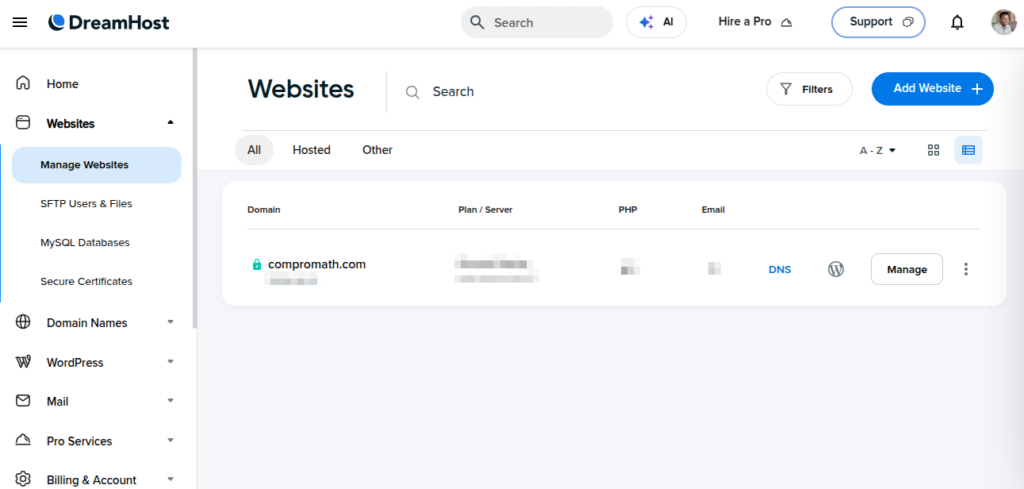
Core Features Included in the Starter Plan.
- Free TLD Registration. Includes a free.com,.net,.org,.io,.blog,.us, or.co domain for your first year.
- Unmetered Bandwidth. No strict artificial caps on site traffic.
- 1-Click WordPress Installation. Automated deployment without touching databases or FTP setup.
- Free Automated Migrations. Simple migration tools if you are moving an existing site.
- AI Site Builder (Liftoff). An optional framework to generate initial page layouts rapidly.
- Built-in Traffic Analytics. Essential metric tracking right from your control panel.
- Solid-State Drive (SSD) Storage. Fast read/write speeds for lower page load latency.
- Free Let’s Encrypt SSL. Pre-installed security certificates to ensure HTTPS compliance out of the box.
- Developer Access. Full FTP and SSH access for custom configuration when needed.
Field Note. Having managed and reviewed hosting architectures for years, I find DreamHost’s entry package stands out due to its proprietary, un-cluttered custom panel. Unlike legacy cPanel implementations, it stays out of your way while delivering solid TTFB (Time to First Byte) performance, automatic core updates, and baseline SSL integration right from day one.
Step 2. Deploy WordPress via 1-Click Install
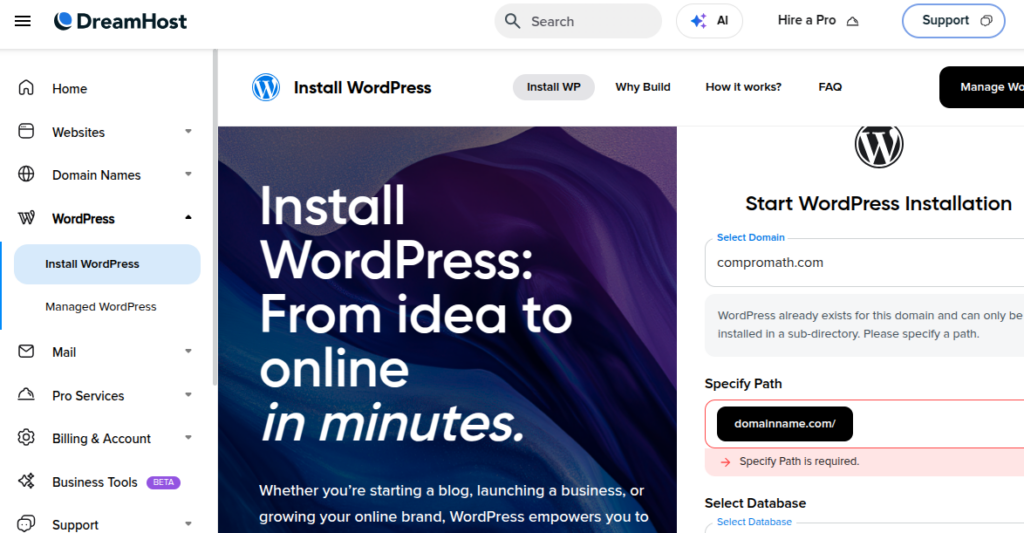
After completing your DreamHost registration, deploying the WordPress CMS takes less than two minutes. Navigate to the One-Click Installs section in your account panel, select WordPress, and choose your domain. The installer handles database creation and core file extraction automatically, serving up your site instance immediately.
Step 3. Select a Well-Optimized Theme
Page speed is a major ranking factor for SEO and user retention. Avoid heavy, multi-purpose premium themes loaded with unused JavaScript libraries. Instead, opt for lightweight, modular block themes that maintain clean DOM structures.
- Astra. Highly optimized core framework with minimal global asset sizes.
- Kadence. Excellent schema integration and deep block-editor capabilities.
- Neve. Mobile-first architecture built specifically for speed and AMP compatibility.
- OceanWP. Highly customizable with strong extensible hook options.
- GeneratePress. Performance-driven with an ultra-clean, minimalist codebase.
- Twenty Twenty-Five. The default WordPress block theme, lightweight, functional, and fully optimized out of the box.
If you prefer an automated kickstart, DreamHost’s built-in Liftoff AI Builder can generate a clean initial structure based on your specific niche requirements within a minute.
Step 4. Install Essential (and Free) Plugins
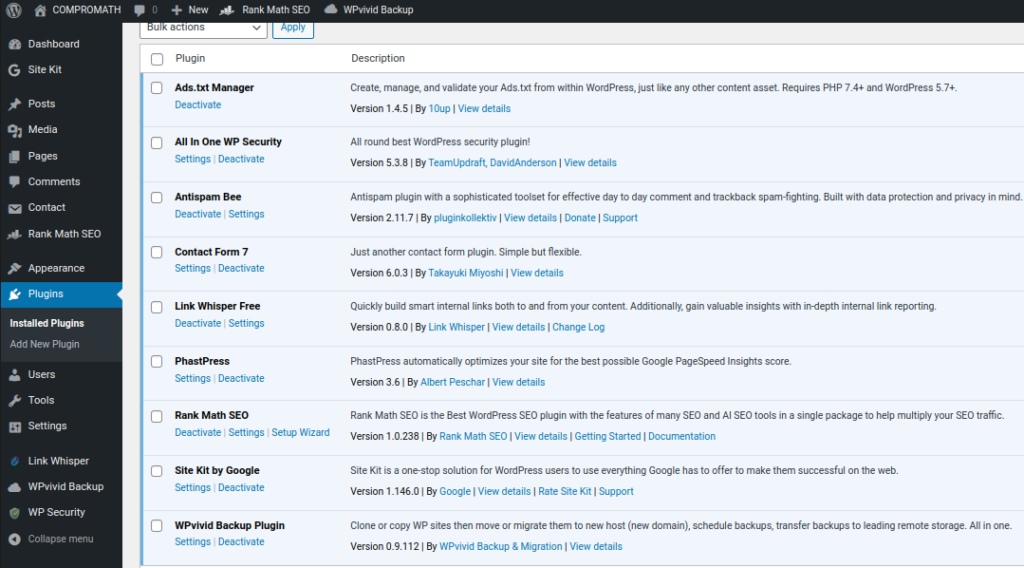
Plugin bloat can quickly degrade site performance. Stick exclusively to well-maintained, lean utilities to cover key areas like security, caching, and SEO. Here is a battle-tested selection of free essential plugins.
- RankMath. Modern, modular SEO management for on-page optimization, sitemaps, and structured data.
- All In One WP Security. Comprehensive suite for hardening your site against brute-force attacks and malware attempts.
- Antispam Bee. Efficient, privacy-compliant spam filtering without external API overhead.
- Contact Form 7. Lightweight form management that integrates smoothly into block layouts.
- PhastPress. Automatic optimization of CSS, JS scripts, and image lazy-loading.
- Site Kit by Google. Direct dashboard integration for Search Console, Analytics, and PageSpeed Insights.
- WPvivid Backup. Dependable, automated site backups with remote storage destination support.
Tip. More plugins mean more database queries and potential security attack vectors. Keep your installation limited to tools that actively solve operational requirements.
Step 5. Focus on Content and Growth
At this stage, your technical foundation is set. A secure, high-speed WordPress blog running for $35 per year. From here, shifting your focus toward publishing high-value, search-optimized content consistently is key to building organic search visibility over time.
Domain Transfer Note. If you already own a custom domain with another registrar, DreamHost includes a complimentary 1-year extension on eligible top-level domains when you transfer domain management to their platform during setup.
Looking for alternative hosting options? Compare performance metrics across our curated roundup. Budget WordPress Hosting for Bloggers.
Have questions about initial deployment, theme selection, or server configuration? Leave a comment below, and let’s discuss!
Final Thoughts
Building a successful web property doesn’t require thousands in enterprise hosting or custom development. By selecting a cost-effective hosting partner like DreamHost, keeping your plugin stack lean, and focusing on user-first content, you can build a competitive WordPress blog on a minimal budget.
Take that first step, set up your foundation, and start building your publication today.
[affiliate_disclosure]

terima kasih informasi nya berguna