If you want a prebuilt gaming PC that can handle modern games, live streaming, and demanding creative workloads, the iBUYPOWER Element Gaming PC EWA9N5702 deserves a closer look. It combines an AMD Ryzen 9 7900X processor, an NVIDIA GeForce RTX 5070 graphics card with 12GB of VRAM, 32GB of DDR5 memory, and a 1TB NVMe SSD.
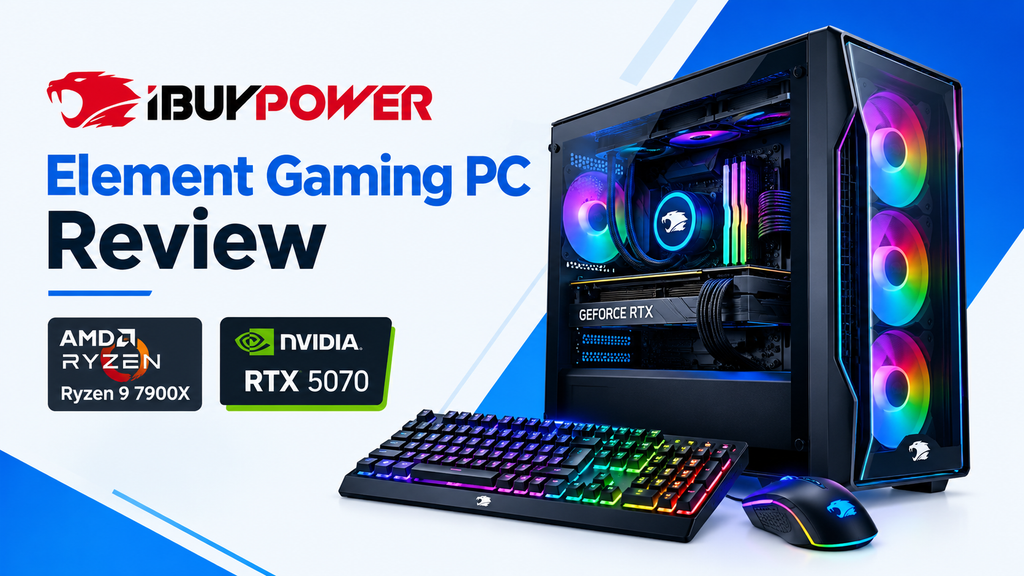
The system also includes Windows 11 Home, Wi-Fi, RGB lighting, a gaming keyboard, and an RGB gaming mouse. You do not need to assemble the computer yourself, making it an option for gamers who prefer a ready-made desktop.
However, the price, shipping charges, and lack of an included monitor are important considerations, especially if you are ordering from outside the United States. Here is what you should know before buying.
iBUYPOWER Element Gaming PC: Quick Overview
| Feature | Specification |
|---|---|
| Model | iBUYPOWER Element EWA9N5702 |
| Processor | AMD Ryzen 9 7900X |
| Graphics card | NVIDIA GeForce RTX 5070, 12GB GDDR7 |
| Memory | 32GB DDR5 RGB, 4800MHz |
| Storage | 1TB NVMe SSD |
| Motherboard | AMD B650 Wi-Fi |
| CPU cooling | 240mm ARGB liquid cooler |
| Power supply | 750W 80 PLUS Gold |
| Operating system | Windows 11 Home |
| Wireless connectivity | 802.11ac Wi-Fi |
| Case | Tempered-glass RGB gaming case |
| Included accessories | Gaming keyboard and RGB mouse |
| Monitor | Not included |
The manufacturer lists a 750W 80 PLUS Gold power supply, a B650 Wi-Fi motherboard, and a 240mm liquid cooler for this model. These details are useful when evaluating its cooling capacity and potential for future upgrades.
Recommended Products at a Glance
The main desktop is the primary recommendation for buyers who want a powerful prebuilt system. You can also pair it with a suitable gaming monitor and consider a larger SSD if your game library grows.
| Product | Best for |
|---|---|
| iBUYPOWER Element Gaming PC, Ryzen 9 7900X and RTX 5070 | Gaming, streaming, and content creation |
| 1440p 180Hz IPS gaming monitors | High-refresh-rate gaming at 1440p |
| 1440p 240Hz OLED gaming monitors | Premium contrast, colors, and motion clarity |
| 4K 144Hz HDMI 2.1 gaming monitors | Sharp visuals and detailed single-player games |
| 2TB NVMe SSDs | Additional space for large games and projects |
Monitor and SSD links above lead to Amazon search results, not verified individual product listings. Prices and availability can change. The desktop price is the supplied listing price, not a live price guarantee.
1. AMD Ryzen 9 7900X: More Than a Gaming Processor
The AMD Ryzen 9 7900X is a 12-core, 24-thread desktop processor designed for demanding workloads. It gives this gaming PC the processing capacity to handle more than games alone.
For gaming, the processor can support high frame rates when paired with a capable graphics card. Its additional cores are also useful when running a game alongside OBS Studio, Discord, browser tabs, and other applications.
The processor is particularly attractive if you plan to use the same desktop for video editing, multitasking, software development, or 3D rendering. These tasks can benefit from its multicore performance.
For someone who only plays games, however, a less expensive processor might provide similar gaming performance in some titles. The Ryzen 9 makes more sense when you will also use its processing power for work or content creation.
2. NVIDIA GeForce RTX 5070 12GB for 1440p Gaming
The GeForce RTX 5070 is the main component responsible for gaming performance. It includes 12GB of GDDR7 video memory and supports modern NVIDIA graphics features, including ray tracing and DLSS.
This makes the desktop a strong candidate for 1440p gaming, particularly if you want detailed graphics without sacrificing high refresh rates.
Here is how to approach different gaming resolutions:
- 1080p: Suitable for competitive games where high frame rates matter most.
- 1440p: A balanced target for modern AAA games, offering detailed visuals without the demands of 4K.
- 4K: Worth considering for visually rich games, although demanding titles may require DLSS, adjusted graphics settings, or other performance compromises.
Actual frame rates depend on the game, graphics settings, ray tracing, and DLSS configuration. Do not assume that every demanding game will run at 4K with maximum settings and a consistently high frame rate.
The RTX 5070 can also help with GPU-accelerated video editing, rendering, and some AI applications. Its 12GB of VRAM is useful for many workloads, but particularly memory-intensive AI models and professional projects may require more.
3. Is 32GB DDR5 RAM Enough for Gaming?
Yes. The included 32GB of DDR5 memory is a sensible capacity for a high-performance gaming desktop.
It should give you room to play modern games while keeping streaming software, voice chat, and other applications open. It is also a practical starting point for video editing and general content creation.
The supplied configuration lists DDR5 memory running at 4800MHz in a 16GB-by-two arrangement. That is sufficient for many gaming workloads, although some other configurations use faster memory.
You do not need to upgrade the RAM immediately unless your particular applications require more memory. If you eventually need additional capacity, verify the motherboard’s supported memory configurations and available slots before purchasing an upgrade.
4. Is the 1TB NVMe SSD Enough?
The 1TB NVMe SSD provides fast storage for Windows, applications, and games. It should deliver responsive startup times and generally quick loading compared with a traditional hard drive.
The main limitation is capacity. Modern AAA games can occupy substantial amounts of storage, and installing several large titles alongside video footage or other creative files can fill a 1TB drive sooner than expected.
If you maintain a large game library, a 2TB or larger SSD may be a worthwhile future upgrade. You can also uninstall games you no longer play or use additional storage for files that do not require the fastest drive.
Before buying an additional SSD, check the motherboard’s available M.2 slots and supported drive configurations.
5. Cooling, Power Supply, and Upgrade Options
The EWA9N5702 uses a 240mm ARGB liquid CPU cooler. This is a useful feature for a Ryzen 9 7900X system, which can draw substantial power under demanding workloads.
The PC also comes with a 750W 80 PLUS Gold power supply, according to the manufacturer’s specifications. That gives you a more useful starting point for evaluating power requirements than a listing that does not identify the PSU capacity.
Can you upgrade the graphics card?
The system uses a standard desktop graphics card interface, so a GPU replacement may be possible. However, compatibility is not determined by the PCIe slot alone.
Before installing a more powerful graphics card, check:
- The new GPU’s power requirements and connector type.
- Whether the existing 750W PSU meets the GPU manufacturer’s recommendations.
- The graphics card’s physical dimensions and case clearance.
- The motherboard, cooling, and case requirements of the replacement hardware.
A future GPU upgrade could require a different power supply. Do not assume that every high-end graphics card will work with the existing configuration.
Can you upgrade the cooling system?
The CPU cooling system can potentially be replaced with a compatible aftermarket cooler. However, a larger 280mm or 360mm liquid cooler is not guaranteed to fit.
Check the case’s radiator mounting positions, motherboard clearance, and cooler compatibility before purchasing an upgrade. For most buyers, the included 240mm cooler is a reasonable starting point, and there is no need to replace it without a specific cooling problem or performance goal.
For more guidance, read our article on how to choose a power supply for a gaming PC without overspending.
6. Does the iBUYPOWER Element Gaming PC Include a Monitor?
No. The package includes the desktop tower, gaming keyboard, and RGB gaming mouse, but not a monitor.
You will need to purchase a display separately. If you already own a compatible monitor, television, keyboard, or mouse, you may be able to reuse some of your existing equipment.
A compatible television can also serve as a temporary display if it has a suitable HDMI input. For regular PC gaming, though, a dedicated monitor may offer better ergonomics, refresh rates, and response times.
Which monitor should you buy?
For this RTX 5070 system, 1440p is a sensible starting point for most gamers.
- 1440p 180Hz IPS: A good balance of resolution, smooth motion, and price.
- 1440p 240Hz OLED: Worth considering if you want excellent contrast and fast pixel response, especially for immersive or competitive gaming.
- 4K 144Hz IPS: A suitable choice if you prioritize sharp visuals and want a display for both gaming and productivity.
Competitive players may prefer a high-refresh-rate 1440p monitor. Those who mainly play cinematic single-player games may prefer OLED contrast or a 4K display.
Compare panel quality, connectivity, warranty, and price before choosing. A more expensive monitor will not automatically provide a better experience for every type of game.
7. Is the iBUYPOWER Element Worth Its Price?
The supplied Amazon pricing shows the Ryzen 9 7900X and RTX 5070 configuration at $2,299.99. That is a substantial purchase, so it is worth comparing the complete system with other prebuilt PCs before ordering.
The listing also shows alternative configurations, but these are different computers rather than interchangeable prices for the exact same model.
| Configuration | Supplied price | Key differences |
|---|---|---|
| Ryzen 9 7900X and RTX 5070 | $2,299.99 | 32GB RAM, 1TB SSD |
| Ryzen 7 8700F and RX 9070 GRE 12GB | $1,699.99 | 16GB RAM |
| Intel Core i7-14700F and RTX 5070 | $2,293.28 | 32GB RAM |
| Ryzen 9 9900X and RX 9070 GRE 12GB | $1,899.99 | 16GB RAM |
These prices are from the supplied listing information and may change. They should not be treated as a current price comparison across identical hardware.
When evaluating the alternatives, consider what you need from the PC. The Ryzen 9 7900X configuration is appealing for users who combine gaming with CPU-intensive work. A less expensive configuration may be more sensible if gaming is your only priority.
Important: Check international shipping costs
Before placing an order, check the final Amazon checkout total, including shipping, import duties, taxes, and any other applicable fees. Also confirm the return process, warranty coverage in your country, and the availability of local repair services.
For an expensive desktop, the landed cost matters more than the US listing price alone.
8. Who Should Buy This Gaming PC?
The iBUYPOWER Element is worth considering if you want a powerful prebuilt desktop for several demanding tasks.
It may suit you if:
- You want to play modern games at 1440p.
- You stream games or record gameplay while running other applications.
- You edit videos or use other CPU-intensive creative software.
- You want a preassembled desktop with Windows and basic gaming peripherals included.
- You prefer to start with 32GB RAM and a dedicated NVIDIA GPU.
Consider another configuration if:
- Your budget is tight and you only play esports games.
- You need a monitor included in the package.
- You want more than 1TB of storage from the start.
- International shipping and import charges make the final cost too high.
- Your work requires more than 12GB of GPU memory.
Final Verdict
The iBUYPOWER Element Gaming PC EWA9N5702 combines a Ryzen 9 7900X, RTX 5070 12GB, 32GB DDR5 RAM, and a 1TB NVMe SSD in a ready-to-use desktop. Its hardware makes it a versatile option for gaming, streaming, and content creation.
The main drawbacks are the price, limited included storage for users with large game libraries, and the absence of a monitor.
If the complete purchase cost fits your budget and you need both strong gaming performance and multicore processing power, this iBUYPOWER configuration is worth comparing with other prebuilt gaming desktops.
Check the latest listing on Amazon before buying, since prices, availability, and delivery costs can change.
Frequently Asked Questions
Is the iBUYPOWER Element EWA9N5702 good for gaming?
It has a capable combination of a Ryzen 9 7900X processor and RTX 5070 12GB graphics card. It is well suited to modern gaming, particularly at 1440p, although performance varies by game and settings.
Does it come with a keyboard and mouse?
Yes. The supplied product description includes a gaming keyboard and an RGB gaming mouse.
Does it come with Wi-Fi?
Yes. The listed configuration includes 802.11ac Wi-Fi. You can also use its RJ-45 Ethernet connection for wired networking.
Can it handle streaming and video editing?
The 12-core, 24-thread processor, 32GB RAM, and dedicated NVIDIA GPU make it a suitable candidate for many streaming and video-editing workflows. Results depend on the software, project complexity, and settings.
Can I upgrade the RAM and SSD?
Potentially, yes. The system uses a B650 motherboard, but you should verify the exact motherboard layout, available slots, supported memory configurations, and storage compatibility before buying components.
Is a 750W power supply enough for the RTX 5070?
The manufacturer lists a 750W 80 PLUS Gold PSU for this model. That is the installed specification, but any future GPU upgrade should be checked against the replacement card manufacturer’s power recommendations.
