Running out of storage on your Steam Deck is frustrating, especially when a few large games can take up hundreds of gigabytes. A microSD card is a convenient way to expand storage, but upgrading the internal SSD gives you more space without leaving a card in the slot.
The challenge is finding the right drive. The Steam Deck uses a compact M.2 2230 NVMe SSD, which is shorter than the M.2 2280 drives commonly sold for desktop PCs and laptops.
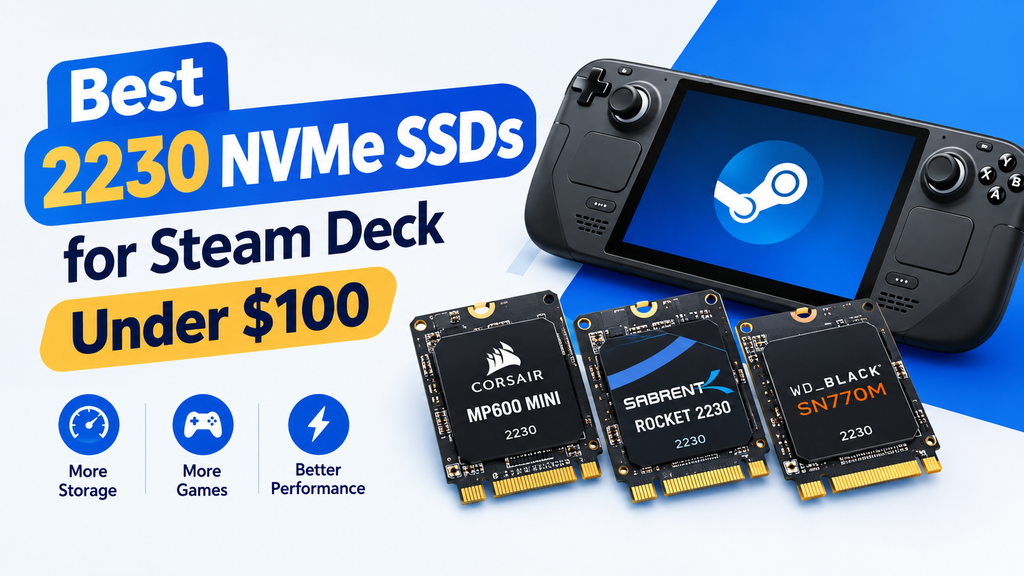
If you want a Steam Deck SSD upgrade under $100, three models worth comparing are the Corsair MP600 Mini, Sabrent Rocket 2230, and Western Digital WD_BLACK SN770M. Each offers PCIe 4.0 performance in a compact design, but the best choice depends on capacity, price, and availability.
Important: SSD prices change frequently. Treat $100 as your shopping budget rather than a guaranteed price for every capacity. Check the current price of the specific model before ordering.
Best 2230 NVMe SSDs for Steam Deck at a Glance
| SSD | Best for | Interface | What to know |
|---|---|---|---|
| Corsair MP600 Mini | A compact, high-performance upgrade | PCIe 4.0 | TLC NAND and capacities up to 2TB |
| Sabrent Rocket 2230 | A dedicated handheld SSD | PCIe 4.0 | TLC NAND and capacities up to 1TB in the listed model range |
| WD_BLACK SN770M | Higher-capacity gaming storage | PCIe 4.0 | Up to 2TB, with advertised read speeds up to 5,150 MB/s on 1TB and 2TB models |
These drives use the correct 2230 form factor, but their current prices may exceed $100, especially at higher capacities. If you find a 512GB or 1TB version within your budget, compare the warranty, seller, and return policy before buying.
1. Corsair MP600 Mini: Best All-Round Option
The Corsair MP600 Mini is a strong candidate if you want a small, high-performance SSD for your Steam Deck. It uses a PCIe 4.0 x4 NVMe interface and 3D TLC NAND, making it suitable for game installations, updates, and everyday storage.
Corsair offers the MP600 Mini in 1TB and 2TB capacities, giving you room to expand beyond the original internal storage. Its advertised sequential speeds reach up to 7,000 MB/s read and 6,200 MB/s write on the specified model. Actual speeds depend on the host device and workload.
Why consider it?
- Compact M.2 2230 design for compatible handhelds.
- TLC NAND for a balance of performance and endurance.
- Multiple capacity options, including 1TB and 2TB.
- A good option for replacing a small internal drive.
What to consider: Its advertised maximum speed is much higher than what the Steam Deck can necessarily use in practice. Do not pay a large premium just to get a higher sequential-speed number.
Best for: Steam Deck owners who want a reputable compact SSD and find a suitable capacity at a competitive price.
Check the Corsair MP600 Mini on Amazon
2. Sabrent Rocket 2230: Best Dedicated Handheld Option
The Sabrent Rocket 2230 was designed for compact devices that cannot accommodate a standard 2280 SSD. Its 30mm length makes it a suitable option for the Steam Deck, and its PCIe 4.0 interface provides plenty of bandwidth for handheld gaming.
The drive uses 3D TLC NAND and a DRAM-less design with Host Memory Buffer (HMB) support. HMB lets the SSD use some system memory for mapping information rather than relying on a dedicated DRAM chip.
Sabrent lists 256GB, 512GB, and 1TB versions of the Rocket 2230. Availability and pricing vary, so check the capacity carefully before purchasing.
Why consider it?
- Made for devices that require a short M.2 2230 drive.
- PCIe 4.0 NVMe support.
- TLC NAND and HMB support.
- Available in capacities suitable for different budgets.
What to consider: The 1TB version can be expensive, and stock may be limited. For a strict $100 budget, compare the 512GB option against other available drives instead of assuming every capacity qualifies.
Best for: Buyers who want a purpose-built 2230 SSD for a Steam Deck or another compatible handheld.
Check the Sabrent Rocket 2230 on Amazon
3. WD_BLACK SN770M: Best for a Larger Game Library
The WD_BLACK SN770M is another PCIe 4.0 NVMe SSD built in the M.2 2230 form factor. It is designed for compact gaming devices, including the Steam Deck, and comes in 500GB, 1TB, and 2TB capacities.
The 1TB and 2TB versions advertise sequential read speeds up to 5,150 MB/s. The 500GB version has a lower rated maximum read speed. The drive uses TLC NAND and comes with a five-year limited warranty, subject to the manufacturer’s terms.
Its biggest advantage is the availability of higher-capacity models. A 1TB drive can hold a substantial game library, while 2TB provides more room for large games without frequent uninstalling.
Why consider it?
- Designed for compatible handheld gaming devices.
- Capacities up to 2TB.
- PCIe 4.0 support.
- TLC NAND and a five-year limited warranty.
What to consider: The SN770M is not always available under $100, particularly in larger capacities. Check the actual checkout price and compare it with the Corsair and Sabrent options.
Best for: Steam Deck owners who want a larger internal game library and find a good deal on a compatible capacity.
Check the WD_BLACK SN770M on Amazon
Which 2230 SSD Should You Buy Under $100?
The best choice depends on the capacity you can afford.
- Choose the Corsair MP600 Mini if you want a compact, performance-focused drive from a well-known storage brand.
- Choose the Sabrent Rocket 2230 if you prefer a dedicated handheld SSD and find the capacity you need at a good price.
- Choose the WD_BLACK SN770M if you prioritize a larger game library and can find a suitable model within your budget.
For most Steam Deck owners, a 512GB SSD is a reasonable starting point if the current price is below $100. A 1TB drive is more convenient for a large library, but do not assume it will fit the budget. Compare current listings before deciding.
Also consider whether you actually need to replace the internal drive. If you mainly want extra space for games, a microSD card may be the simpler and less expensive option.
What to Check Before Buying a Steam Deck SSD
Before ordering an SSD, check these details to avoid compatibility problems.
1. Confirm the M.2 2230 form factor
The Steam Deck uses a 2230 NVMe drive, measuring approximately 22mm wide and 30mm long. A standard M.2 2280 SSD is too long for the internal SSD compartment.
2. Choose NVMe, not SATA
Look for an M.2 2230 NVMe SSD with a compatible PCIe interface. The M.2 label alone does not guarantee compatibility because M.2 drives can use different protocols.
3. Compare usable capacity
A 512GB SSD offers considerably more room than a 64GB drive, while 1TB or 2TB can make managing a large game library easier. The operating system and formatting mean the full advertised capacity will not appear as available storage.
4. Check the seller and warranty
Avoid suspiciously cheap listings, particularly for popular SSD models. Verify the exact model number, capacity, seller reputation, warranty terms, and return policy.
5. Back up your data before replacing the drive
Replacing the internal SSD is a hardware upgrade, not a simple storage setting. You may need to reinstall SteamOS or restore an existing image after installation. Back up important files and make sure you have a recovery plan before opening the device.
Is an Internal SSD Better Than a microSD Card?
An internal SSD gives you more permanent storage without using the microSD slot. It is also connected directly through the Steam Deck’s internal NVMe interface. A microSD card, however, is easier to install, can be moved between compatible devices, and does not require opening the handheld.
Neither option is automatically best for every user. If you are comfortable opening your Steam Deck and reinstalling the operating system, an SSD replacement can be worthwhile. If you want a simple way to expand storage, a microSD card is often more practical.
If you plan to install Windows on your Steam Deck, read our guide to Steam Deck Windows: Internal SSD vs microSD, Which Should You Use?. It explains the storage trade-offs to consider before choosing where to install Windows.
Final Verdict
The Corsair MP600 Mini, Sabrent Rocket 2230, and WD_BLACK SN770M are all worth considering for a Steam Deck storage upgrade. The right choice comes down to the capacity you need, the price available at checkout, and the warranty you receive.
For a budget-conscious upgrade, start by comparing 512GB models under $100. If you find a 1TB model at a similar price from a reputable seller, it may offer better long-term value. Avoid choosing a drive based on advertised maximum speed alone, because capacity and compatibility matter more for everyday Steam Deck use.
Before buying, confirm that the listing is for an M.2 2230 NVMe SSD and that the exact capacity fits your budget.
