Breadcrumb schema is structured data that helps search engines understand where a page sits within the hierarchy of a website. It uses Schema.org’s BreadcrumbList type to describe the relationship between pages such as Home, Category, and the current article.
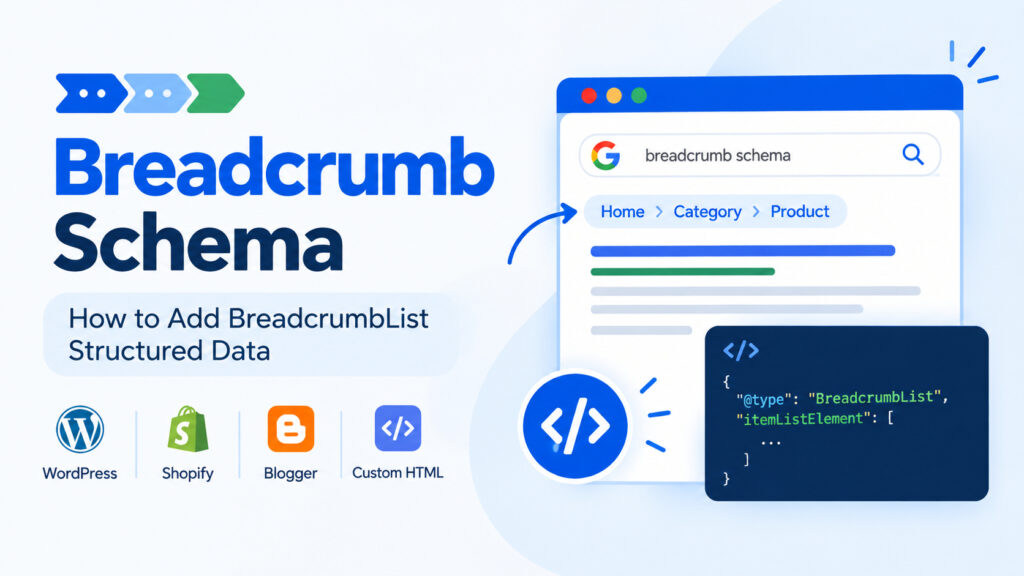
For example, a blog post might have this structure:
Home > SEO > Breadcrumb Schema
When this structure is also provided through structured data, search engines can better understand the page’s position within the site.
What Is Breadcrumb Schema?
Breadcrumb schema is a code-based implementation of the BreadcrumbList structured data type. It is normally added using JSON-LD and contains a series of ListItem elements representing the breadcrumb hierarchy.
Each item normally has a position and name. Previous pages in the hierarchy include their URL, while the current page can be represented without an item URL.
Here is a basic three-level example:
{
  "@context": "https://schema.org",
  "@type": "BreadcrumbList",
  "itemListElement": [
    {
      "@type": "ListItem",
      "position": 1,
      "name": "Home",
      "item": "https://example.com/"
    },
    {
      "@type": "ListItem",
      "position": 2,
      "name": "Electronics",
      "item": "https://example.com/electronics/"
    },
    {
      "@type": "ListItem",
      "position": 3,
      "name": "Smartphones"
    }
  ]
}
Why Does Breadcrumb Schema Matter for SEO?
Breadcrumbs are useful for both search engines and visitors. They provide additional information about the relationship between a page and the rest of the website.
Better Search Result Presentation
Search engines can use breadcrumb structured data to understand and potentially display a readable breadcrumb path in search results instead of simply showing the site’s raw URL structure.
However, structured data does not guarantee that Google will display a particular rich result. Google decides how search results are presented.
Clearer Site Structure
A well-organized breadcrumb hierarchy gives search engines another signal about how your content is organized. This is especially useful for websites with multiple categories, subcategories, and large amounts of content.
Breadcrumbs should complement your site’s internal linking structure rather than replace it. Important pages should still be accessible through normal links.
Better Navigation for Visitors
Visible breadcrumbs can also help visitors understand where they are within your website. Someone reading an article under a particular category can use the breadcrumb trail to move back to that category or a higher-level section.
Breadcrumb Schema Best Practices
Adding the markup is relatively simple, but the implementation should accurately represent the actual website.
Match the Visible Breadcrumbs
The structured data should describe the same hierarchy that users see on the page. Avoid creating a breadcrumb schema structure that does not match your site’s visible navigation.
Start Positions at 1
Breadcrumb positions should start at 1 and continue sequentially.
Home       = position 1
Category   = position 2
Article    = position 3
Do Not Add a URL to the Current Page
When the final breadcrumb represents the page the visitor is currently viewing, the item property can be omitted.
For example:
{
  "@type": "ListItem",
  "position": 3,
  "name": "My Current Article"
}
Use Real, Canonical URLs
For previous breadcrumb items, use the correct canonical URL. Avoid incorrect, redirected, or inconsistent URLs in the structured data.
How to Add Breadcrumb Schema in WordPress
WordPress users generally do not need to manually write BreadcrumbList JSON-LD. Many SEO plugins and WordPress themes can generate breadcrumb navigation and the associated structured data dynamically.
For example, SEO plugins such as Rank Math and Yoast SEO provide breadcrumb functionality that can be configured from the WordPress dashboard.
Rank Math
In Rank Math, breadcrumb settings can be found under the SEO settings. After enabling breadcrumbs, the theme needs to display the breadcrumb function where the navigation should appear.
The exact implementation depends on the theme, so check the theme’s documentation before editing template files.
Yoast SEO
Yoast SEO also provides breadcrumb functionality and can generate the relevant structured data when breadcrumbs are properly configured and displayed by the theme.
If you are using a WordPress theme that already provides SEO-friendly breadcrumb functionality, installing another breadcrumb solution may be unnecessary. Check what your theme already provides before adding another plugin.
WordPress Themes With Built-In SEO Breadcrumb Schema
If you are selecting a WordPress theme for a blog, it can be useful to check whether breadcrumb navigation and structured data are already handled by the theme.
Here is a collection of premium WordPress themes for blogs that focus on blog performance, SEO, and useful publishing features. If breadcrumb support is important to your site, check the individual theme’s current feature list before choosing a theme.
How to Add Breadcrumb Schema in Shopify
Shopify uses Liquid templates, so breadcrumb markup can be generated dynamically according to the current page type.
For a custom implementation, you can create a breadcrumb section and generate the JSON-LD based on whether the visitor is viewing a collection, product, or another supported template.
A simplified implementation can look like this:
<script type="application/ld+json">
{
  "@context": "https://schema.org",
  "@type": "BreadcrumbList",
  "itemListElement": [
    {
      "@type": "ListItem",
      "position": 1,
      "name": "Home",
      "item": "{{ shop.url }}"
    }
    {%- if collection -%},
    {
      "@type": "ListItem",
      "position": 2,
      "name": "{{ collection.title | escape }}",
      "item": "{{ shop.url }}{{ collection.url }}"
    }
    {%- endif -%}
  ]
}
</script>
Because Shopify themes differ, test any custom Liquid implementation carefully before deploying it across the entire site.
How to Add Breadcrumb Schema to Custom HTML
On a custom HTML website, you can add JSON-LD directly to the page. It can be placed inside the <head> or elsewhere in the HTML where the structured data can be processed.
For example:
<script type="application/ld+json">
{
  "@context": "https://schema.org",
  "@type": "BreadcrumbList",
  "itemListElement": [
    {
      "@type": "ListItem",
      "position": 1,
      "name": "Home",
      "item": "https://example.com/"
    },
    {
      "@type": "ListItem",
      "position": 2,
      "name": "Services",
      "item": "https://example.com/services/"
    },
    {
      "@type": "ListItem",
      "position": 3,
      "name": "Cloud Storage"
    }
  ]
}
</script>
You can also display the same hierarchy to visitors:
<nav aria-label="Breadcrumb">
  <ol>
    <li><a href="/">Home</a></li>
    <li><a href="/services/">Services</a></li>
    <li><span aria-current="page">Cloud Storage</span></li>
  </ol>
</nav>
The visible breadcrumb and structured data should represent the same page hierarchy.
How to Add Breadcrumb Schema in Blogger
Blogger users often need to add breadcrumb navigation manually because the default theme may not provide the exact breadcrumb structure or structured data they need.
For a detailed Blogger-specific implementation, see our guide:
How to Add Breadcrumb With Structured Data in Blogger
That guide covers adding breadcrumb navigation to Blogger and using structured data so that the breadcrumb information can be understood by search engines.
Test Your Breadcrumb Schema
After adding BreadcrumbList structured data, test the live page rather than assuming the markup is correct.
Google’s Rich Results Test can be used to check whether Google can read supported structured data from a URL or supplied code.
After publishing changes, you should also monitor the site’s search performance and structured data reports where available. Fix syntax errors, invalid URLs, or breadcrumb structures that do not accurately represent the page.
Breadcrumb Schema Is Part of a Larger SEO Strategy
Breadcrumb structured data is useful, but it should not be treated as a standalone SEO trick.
A good breadcrumb implementation works alongside clear site architecture, useful internal links, descriptive URLs, helpful content, fast pages, and properly optimized titles and descriptions.
If you are improving the SEO of a blog, our Blogging SEO Best Practices: A Complete Guide for Better Rankings covers broader on-page and technical SEO practices that can be used together with structured data.
Final Thoughts
Breadcrumb schema gives search engines structured information about the hierarchy of your website. It can also support a better search result presentation and provides a useful foundation for keeping your site’s navigation structure clear.
The implementation is straightforward: use BreadcrumbList, number items from 1, use accurate URLs for previous pages, leave the current page without an item URL, and make sure the structured data matches the visible breadcrumb trail.
For WordPress, an SEO plugin or a theme with built-in breadcrumb support can handle much of the work automatically. Blogger and custom HTML sites may require a manual implementation, while Shopify users can use Liquid to generate breadcrumbs dynamically.
Most importantly, treat breadcrumb schema as part of your overall site architecture rather than a shortcut to higher rankings.
