You do not need a $1,000 streaming setup to start on Twitch. If you already have a gaming PC or console that can handle your games, you can build a practical starter setup with a microphone, webcam, lighting, and a few accessories for around $200.
This guide focuses on affordable gear that makes the biggest difference to stream quality. Prices change frequently on Amazon, so treat the figures below as target prices rather than fixed costs.
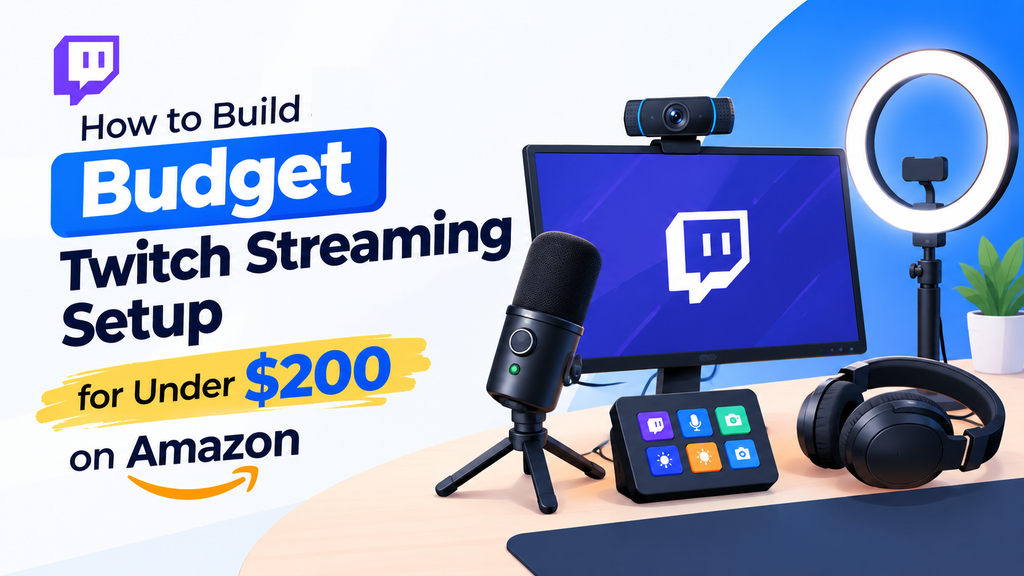
Best Budget Twitch Streaming Setup Under $200
| Gear | Recommended Type | Target Price |
|---|---|---|
| USB microphone | FIFINE or similar USB mic | $30-$45 |
| 1080p webcam | Logitech C920/C922 or similar | $35-$55 |
| Ring light | 10-12 inch LED ring light | $15-$25 |
| Mic arm | Basic adjustable boom arm | $15-$20 |
| Headphones | Existing gaming headphones | $0 |
| Stream control | Keyboard shortcuts or free software | $0 |
| Estimated total | Complete beginner setup | $95-$145 |
That leaves some room in a $200 budget for a better microphone, a larger light, a capture card, or a small stream control device.
1. Start With a USB Microphone
Audio should be one of your first upgrades. Viewers are generally more willing to tolerate average video quality than difficult-to-hear or noisy voice audio.
A cheap streaming microphone USB model from FIFINE is a good starting point because you can connect it directly to your computer without buying an audio interface. Look for a model with a headphone output, physical volume controls, and a cardioid pickup pattern if possible.
Elgato microphones are another option if you find one within your budget. They tend to cost more, but features such as headphone monitoring and software controls can be useful as your setup grows.
Budget target: $30-$45
What to look for: USB connection, headphone monitoring, gain control, cardioid pickup, and a stable stand or compatible boom arm.
Amazon tip: Search for current FIFINE and Elgato USB microphone deals before buying. A discounted higher-end model can sometimes be a better purchase than a cheap microphone that you will replace later.
2. Add a 1080p Webcam
You do not need a 4K camera for Twitch. A reliable 1080p webcam is enough for a beginner face-cam setup, especially when your lighting is good.
The Logitech C920 and C922 are common choices, but there are many inexpensive 1080p webcams on Amazon. The important specifications are 1080p resolution, decent low-light performance, autofocus, and a standard monitor or tripod mount.
If you are searching for the best budget webcam for Twitch 1080p, do not judge the camera by resolution alone. A well-lit 1080p webcam can look better on stream than a poorly lit 4K camera.
Budget target: $35-$55
Look for: 1080p video, autofocus, USB connection, adjustable mounting, and a reasonable field of view.
3. Spend $15-$25 on Better Lighting
Lighting can make an inexpensive webcam look considerably better. Instead of upgrading to an expensive camera immediately, put some of your budget toward a small LED ring light.
Position the light slightly above eye level and in front of you. Avoid placing it directly behind your head because that can make your face appear dark.
A 10-12 inch USB-powered ring light with adjustable brightness is enough for most beginner streaming desks.
Budget target: $15-$25
4. Use a Basic Microphone Arm
A microphone sitting directly on your desk can pick up keyboard clicks, mouse movement, and vibrations. A basic boom arm gives you more control over microphone placement and also frees up desk space.
You do not need an expensive studio arm for a beginner Twitch setup. Look for one with a compatible thread, sturdy desk clamp, and enough reach to position the microphone close to your mouth.
Budget target: $15-$20
5. Do You Need a Stream Deck?
Not necessarily.
A dedicated Stream Deck is convenient, but it should not be your first purchase when you are working with a $200 budget. OBS Studio and Twitch provide enough tools to get started, while keyboard shortcuts can handle basic scene switching and stream controls.
If you have money left after buying your microphone, webcam, lighting, and arm, a small Stream Deck can be a useful upgrade. It lets you assign buttons to actions such as changing scenes, muting your microphone, starting a recording, or triggering a stream effect.
For a first setup, however, spending $40-$100 on a control pad makes less sense than improving your microphone or lighting.
6. What About a Capture Card?
If you are streaming PC games directly from the computer, you may not need a capture card.
You are more likely to need one when streaming gameplay from a PlayStation, Xbox, Nintendo Switch, or another external device through a computer. If that applies to you, reserve part of the $200 budget for an entry-level USB capture card.
If you plan to stream directly from an Xbox, you may not need a full PC capture setup at all. See our guide on how to stream on Twitch from Xbox for the platform’s built-in streaming options and the equipment you may actually need.
For a PC-only setup, put that money toward audio and lighting instead.
Example $200 Amazon Shopping List
| Item | Budget |
|---|---|
| FIFINE USB microphone | $40 |
| 1080p webcam | $45 |
| LED ring light | $20 |
| Microphone boom arm | $18 |
| USB cables or small accessories | $12 |
| Budget Stream Deck or control pad | $45 |
| Remaining budget | $20 |
| Total | $200 |
If you already have headphones, a keyboard, a mouse, and a gaming PC, this gives you the main equipment required to start streaming without spending hundreds of dollars on unnecessary accessories.
How to Prioritize Your $200 Budget
If you cannot find everything at your target prices, prioritize your purchases in this order:
- Microphone: Your voice is one of the most important parts of a stream.
- Lighting: Good lighting improves almost any webcam.
- Webcam: Add a face camera if it fits your content.
- Microphone arm: Useful for positioning and reducing desk clutter.
- Stream control device: A convenience upgrade rather than a requirement.
How to Find the Best Deals on Amazon
Amazon prices for streaming equipment can change frequently. Before purchasing, compare several models instead of automatically choosing the first product that appears in search results.
Check the current price, recent customer reviews, return policy, included accessories, and whether the product is sold or fulfilled by a reputable seller. If you are shopping before the holiday season, watch for temporary discounts and bundle deals.
Prime availability can also be useful when you want your starter streamer kit delivered quickly, but do not pay more for a product simply because it has faster delivery.
Do You Need an Expensive PC?
The $200 budget in this guide is for streaming peripherals, not the computer itself.
Your existing PC needs enough CPU and GPU performance to run your games while encoding or handling the stream. If your system struggles with the game itself, upgrading the webcam or microphone will not solve the underlying problem.
For PC streaming, start with OBS Studio and test your stream before buying more hardware. You can then see whether your system needs lower game settings, a different encoder, or other optimizations.
Best Budget Setup for a Beginner
For most new Twitch streamers, I would start with a FIFINE USB microphone, a reliable 1080p webcam, a small LED ring light, and an inexpensive microphone arm. Keep using your existing headphones and keyboard, and skip the Stream Deck until you know you actually need one.
This approach gives you the core equipment for a professional-looking beginner stream while keeping the total comfortably below $200 in many cases.
Final Thoughts
A budget Twitch streaming setup does not have to look cheap. Good microphone placement, simple lighting, clean camera framing, and consistent stream quality matter more than filling your desk with expensive hardware.
If you are building your first setup before the holiday season, use the $200 budget strategically. Buy the equipment that improves what viewers see and hear first, then add convenience accessories such as a Stream Deck as your channel grows.
Amazon shopping strategy: Compare current deals on USB microphones, 1080p webcams, ring lights, and microphone arms, then use whatever remains of your budget for upgrades rather than buying unnecessary equipment on day one.
